Divergence MACD [mado]Divergence screener for MACD
Regular Bullish: "D" navy label
Hidden Bullish: "H" navy label
Regular Bearish: "D" red label
Hidden Bearish: "H" red label
"bear"に関するスクリプトを検索
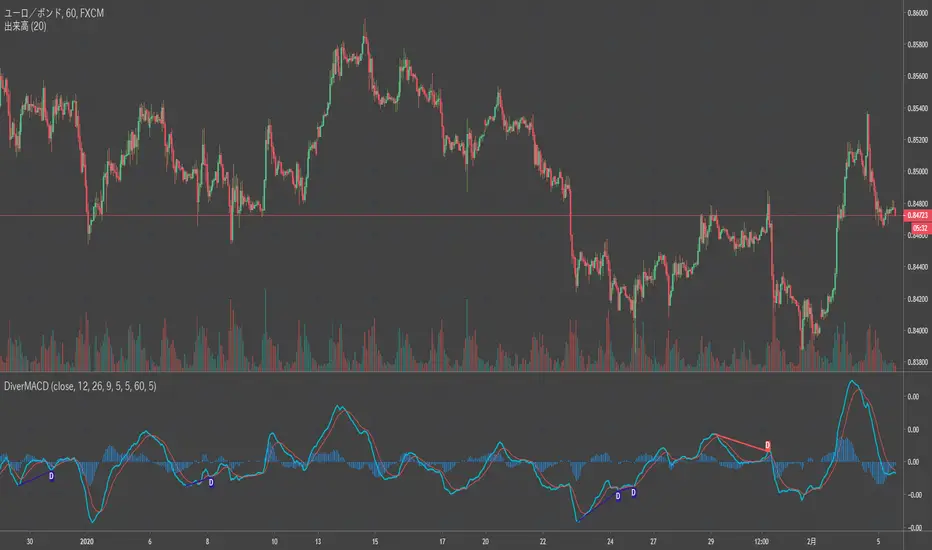
Divergence LinerRegressionSlope[mado]Divergence screener for LinerRegressionSlope
Regular Bullish: "D" navy label
Hidden Bullish: "H" navy label
Regular Bearish: "D" red label
Hidden Bearish: "H" red label
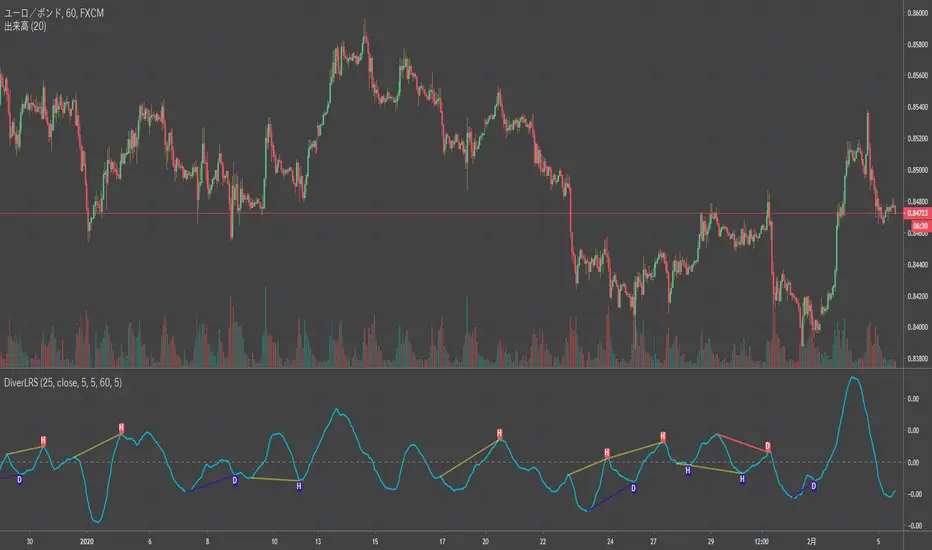
Divergence KlingerVolumeOscillator [mado]Divergence screener for KVO
Regular Bullish: "D" navy label
Hidden Bullish: "H" navy label
Regular Bearish: "D" red label
Hidden Bearish: "H" red label

Divergence CCI [mado]Divergence screener for CCI
Regular Bullish: "D" navy label
Hidden Bullish: "H" navy label
Regular Bearish: "D" red label
Hidden Bearish: "H" red label

Divergence Awesome Oscillator [mado]Divergence screener for Awesome Oscillator
Regular Bullish: "D" navy label
Hidden Bullish: "H" navy label
Regular Bearish: "D" red label
Hidden Bearish: "H" red label
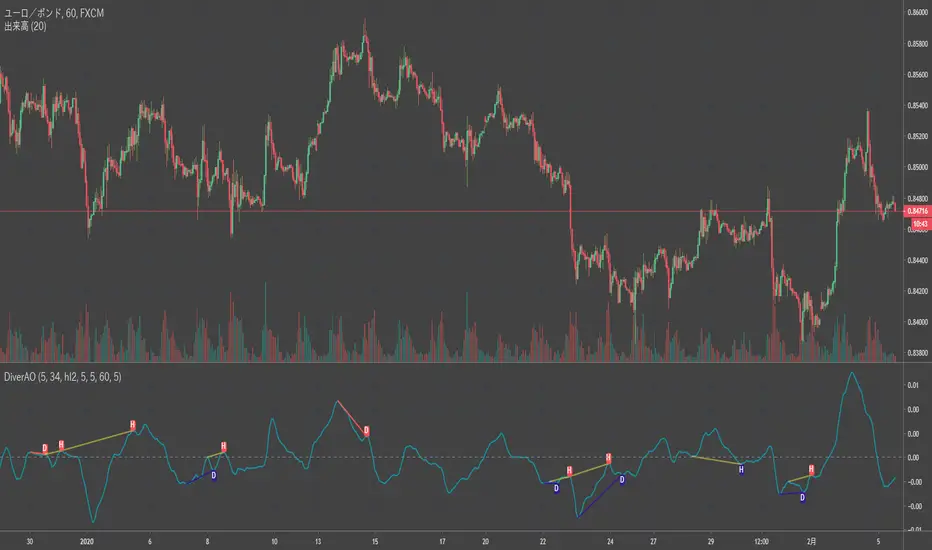
Elder impulse system with double exponential moving average dema
This version of impulse uses the double exponential moving average instead of the typical ema both to calculate macd and the moving slow and fast moving average that are plotted.
The impulse system :
The Impulse System combines two simple but powerful indicators.
One measures market inertia, the other its momentum. When both
point in the same direction, they identify an impulse worth following.
We get an entry signal when both indicators get in gear.
The Impulse System uses an exponential moving average to find
uptrends and downtrends. When the EMA rises, it shows that inertia
favors the bulls. When EMA falls, inertia works for the bears. The sec-
ond component is MACD-Histogram, an oscillator whose slope reflects
changes of power among bulls or bears. When MACD-Histogram rises,
it shows that bulls are becoming stronger. When it falls, it shows that
bears are growing stronger.
The Impulse System flags those bars where both the inertia and the
momentum point in the same direction. When both the EMA and
MACD-Histogram rise, they show that bulls are roaring and the uptrend
is accelerating.
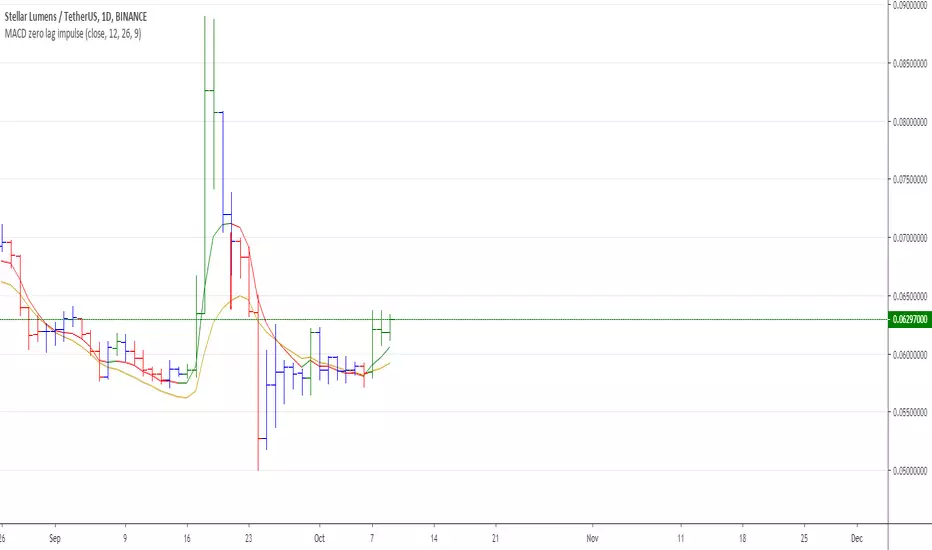
MACD Zero lag impulse systemThis version of impulse uses the double exponential moving average instead of the typical ema.
The impulse system :
The Impulse System combines two simple but powerful indicators.
One measures market inertia, the other its momentum. When both
point in the same direction, they identify an impulse worth following.
We get an entry signal when both indicators get in gear.
The Impulse System uses an exponential moving average to find
uptrends and downtrends. When the EMA rises, it shows that inertia
favors the bulls. When EMA falls, inertia works for the bears. The sec-
ond component is MACD-Histogram, an oscillator whose slope reflects
changes of power among bulls or bears. When MACD-Histogram rises,
it shows that bulls are becoming stronger. When it falls, it shows that
bears are growing stronger.
The Impulse System flags those bars where both the inertia and the
momentum point in the same direction. When both the EMA and
MACD-Histogram rise, they show that bulls are roaring and the uptrend
is accelerating.

Elder impulse system with barcolor + Safezone stops + emasThe impulse system :
The Impulse System combines two simple but powerful indicators.
One measures market inertia, the other its momentum. When both
point in the same direction, they identify an impulse worth following.
We get an entry signal when both indicators get in gear.
The Impulse System uses an exponential moving average to find
uptrends and downtrends. When the EMA rises, it shows that inertia
favors the bulls. When EMA falls, inertia works for the bears. The sec-
ond component is MACD-Histogram, an oscillator whose slope reflects
changes of power among bulls or bears. When MACD-Histogram rises,
it shows that bulls are becoming stronger. When it falls, it shows that
bears are growing stronger.
The Impulse System flags those bars where both the inertia and the
momentum point in the same direction. When both the EMA and
MACD-Histogram rise, they show that bulls are roaring and the uptrend
is accelerating.
The SafeZone Stop :
Once in a trade, where should you put your stop? This is one of the
hardest questions in technical analysis. After answering it, you’ll face
an even harder one—when and where to move that stop with the pas-
sage of time. Put a stop too close and it’ll get whacked by some mean-
ingless intraday swing. Put it too far, and you’ll have very skimpy
protection.
The Parabolic System, described in Trading for a Living, tried to
tackle this problem by moving stops closer to the market each day,
accelerating whenever a stock or a commodity reached a new extreme.
The trouble with Parabolic was that it kept moving even if the market
stayed flat and often got hit by meaningless noise.
SafeZone trails prices with stops tight enough to protect
capital but remote enough to keep clear of most random fluctuations.
Engineers design filters to suppress noise and allow the signal to come
through. If the trend is the signal, then the countertrend motion is the
noise. When the trend is up, we can define noise as that part of each
day’s range that protrudes below the previous day’s low. When the trend
is down, we can define noise as that part of each day’s range that pro-
trudes above the previous day’s high. SafeZone measures market noise
and places stops at a multiple of noise level away from the market.
We can make our lookback period 100 days or so if we want to aver-
age long-term market behavior.
SafeZone offers an original approach to placing stops. It monitors
changes in prices and adapts stops to the current levels of activity. It
places stops at individually tailored distances rather than at obvious
support and resistance levels.

Absolute Strength MTF IndicatorIntroduction
The non-signal version of the absolute strength indicator from fxcodebase.com requested by ernie76 . This indicator originally from mt4 aim to estimate the bullish/bearish force of the market by using various methods.
The Indicator
Two lines are plotted, a bull line (blue) representing the bullish/buying force and a bear one (red) representing the bearish/selling force, when the bull line is greater than the bear line the market is considered to be strongly bullish, else strongly bearish.
The indicator use various method, Rsi, stochastic, adx. The Rsi method is the one by default.
The stochastic method is less reactive but smoother
The Adx method is way different, while the other two methods make the bull and bear lines somewhat uncorrelated, the adx method focus more on the overall market strength than individual buyer/seller strength.
The smoothing method use 3 different filters, SMA, EMA and LSMA, LSMA is more reactive than the two previous one while EMA is just more computer efficient.
It is possible to use price data of different time frames for the calculation of the indicator.
Stochastic method with 4 hour price close as source.
Conclusion
A classic indicator who can be derived into a lot of ways using a more adaptive architecture or recursion. Hope you find it a use :)
A big thanks to ernie76 for the request and the support/testing of the indicator
Feel free to pm me for any request.

Ichimoku Kinko Hyo: Basic StrategyIchimoku Kinko Hyo: Basic Strategy
Entry/Exit orders are placed when three basic signals are triggered.
Ichimoku Signals:
1) Tenkan-Sen/Kijun-Sen Cross
Bullish: Tenkan-Sen is above the Kijun-Sen.
Bearish: Tenkan-Sen is below the Kijun-Sen.
2) Chikou-Span Cross
Bullish: Chikou-Span is above the close of 26 bars ago.
Bearish: Chikou-Span is below the close of 26 bars ago.
3) Price versus Kumo Cloud
Bullish: Close is above the Kumo Cloud.
Bearish: Close is below the Kumo Cloud.
Notes:
1) Long-only or short-only direction is feasible by checkbox. Stop and reverse strategy is taken by default.
2) Built-in Ichimoku indicator is strictly wrong because of counting one extra bar for all Ichimoku components.
Including the current bar like moving average is correct way in Japan. This problem is fixed in my script.

Money Flow Index - MFI🎯 Overview
This is an advanced Money Flow Index - MFI indicator that combines volume-weighted momentum analysis with dynamic moving average filtering. Unlike basic MFI implementations, this version features gradient overbought/oversold zones, multiple color themes, and a clear signal dashboard for precise money flow identification.
🧩 Core Components
1. ⚙️ Technical Foundation
📊 Primary Calculation: Uses TradingView's built-in ta.mfi() function which incorporates both price and volume data
📈 Dual Analysis Components:
MFI Line: Volume-weighted momentum oscillator
MA Filter: Customizable moving average acting as dynamic signal line
Threshold Zones: Gradient fills for overbought and oversold conditions
⚡ Volume Integration: Unique ability to combine price action with trading volume for more reliable signals
2. 🎛️ Configuration Parameters
📏 MFI Length: Default 14 periods (standard setting)
🔄 MA Filter Settings:
Length: Customizable (default 365 periods)
Type: 6 options available (EMA, SMA, RMA, WMA, VWMA, HMA)
🎨 Color Themes: 5 visual schemes consistent with your indicator suite:
Classic, Modern, Robust, Accented, Monochrome
📊 Signal Interpretation:
🟢 BULLISH: MFI > MA Filter (money flow above trend)
🔴 BEARISH: MFI < MA Filter (money flow below trend)
⚠️ OVERBOUGHT: MFI > 80 (potential reversal zone)
⚠️ OVERSOLD: MFI < 20 (potential reversal zone)
3. 🎨 Visual Elements
🚨 Gradient Zones:
Overbought zone : Red gradient intensifying toward 100
Oversold zone : Green gradient intensifying toward 0
📋 Dashboard Display: Top-right status indicator showing "⬆️ Bullish" or "⬇️ Bearish"
📊 Dynamic Coloring: MFI line changes color based on position relative to MA
⚡ Trading Applications
📈 Primary Uses:
🎯 Money Flow Direction:
MFI > MA = Bullish money flow regime
MFI < MA = Bearish money flow regime
💪 Trend Strength with Volume Confirmation:
MFI considers both price movement AND volume
Higher volume moves have more significance
Validates price trends with volume support
🚨 Extreme Zone Signals:
Overbought: MFI > 80 (potential sell opportunity)
Oversold: MFI < 20 (potential buy opportunity)
📊 Zone Analysis:
🔴 Overbought Zone :
Red gradient fills
Indicates excessive buying pressure
Watch for bearish reversals
🟢 Oversold Zone :
Green gradient fills
Indicates excessive selling pressure
Watch for bullish reversals
🟡 Equilibrium: Yellow MA line acts as volume-weighted trend filter
🎨 Customization Options
👁️ Display Features:
📊 Dual Components: Always shows both MFI line and MA filter
🎨 Gradient Visualization: Automatic fill for overbought/oversold conditions
📋 Status Dashboard: Clear bullish/bearish money flow indication
📈 Customizable MA: Choose from 6 different moving average types
🎨 Visual Themes: (Consistent suite)
🎨 Classic: Green/Red (traditional volume-weighted colors)
🚀 Modern: Cyan/Purple (contemporary)
💪 Robust: Amber/Deep Purple (high contrast)
🌈 Accented: Purple/Magenta (vibrant)
⚫⚪ Monochrome: Light Gray/Dark Gray (minimalist)
🔔 Alert System
🟢 LONG Alert: Triggers when MFI crosses above MA
🔴 SHORT Alert: Triggers when MFI crosses below MA
📧 Format: Includes ticker symbol for tracking
⚡ Key Advantages
✅ Strengths:
🎯 Volume-Weighted Accuracy: Combines price and volume for more reliable signals
💪 Overbought/Oversold Filter: Built-in 80/20 thresholds with gradient visualization
👁️ Clear Trend Identification: MA filter separates noise from meaningful money flow
🔄 Flexible Configuration: Multiple MA types for different trading styles
📊 Professional Dashboard: Immediate money flow status recognition
📊 Optimal Settings:
⚡ Short-term Trading: MFI Length 10-14, MA Length 20-50
📊 Medium-term Trading: MFI Length 14-20, MA Length 50-100
📈 Long-term Trading: MFI Length 20-30, MA Length 100-365
🏆 Unique Features:
🎯 Volume Integration: The only oscillator in your suite that includes volume data
📊 Gradient Thresholds: Visual intensity shows proximity to extremes
🎨 Consistent Design: Matches your indicator family aesthetics
📋 Money Flow Dashboard: Quick visual confirmation of volume trends
🔧 Dual Analysis: Combines oscillator with dynamic trend filter
🔄 Trading Strategies
1. Basic Money Flow Strategy:
Go LONG when MFI crosses above MA from oversold
Go SHORT when MFI crosses below MA from overbought
Exit when opposite extreme is reached
2. Divergence Detection:
Price makes higher high, MFI makes lower high → Bearish divergence (selling pressure weakening)
Price makes lower low, MFI makes higher low → Bullish divergence (buying pressure increasing)
3. Volume Confirmation:
Strong trend + rising MFI = High conviction move
Weak trend + declining MFI = Potential reversal
📈 Performance Tips
Volume Matters: MFI is most effective in markets with consistent volume
Extreme Zones: levels often act as support/resistance for the indicator
Divergence Signals: More reliable than simple overbought/oversold readings
Trend Alignment: MFI above MA in uptrend, below MA in downtrend
Confirmation: Combine with price action at key support/resistance levels
This enhanced MFI indicator provides professional-grade volume-weighted analysis with intuitive visualization, allowing traders to identify money flow trends, spot potential reversals at extremes, and filter signals through the customizable moving average for higher accuracy trading decisions! 📊💰

Stochastic Momentum Index - SMI🎯 Overview
This is a Stochastic Momentum Index (SMI) indicator that combines stochastic momentum with moving average smoothing to identify trend direction and momentum strength in financial markets. The SMI measures where the current price closes relative to the midpoint of its recent trading range, providing enhanced sensitivity to price momentum.
🧩 Core Components
1. ⚙️ Technical Foundation
📊 Primary Calculation: Uses TradingView's built-in ta.stoch() function
📈 Range-Based: Compares closing price to high-low range over specified period
🎯 Scale: Oscillates between 0-100 with 50 as neutral midpoint
2. 🎛️ Configuration Parameters
📏 SMI Length: Default 101 periods (long-term smoothing)
📊 Source Price: Customizable (default = Close)
📈 MA Length: 30-period moving average applied to SMI
🔄 MA Type: 6 options (EMA, SMA, RMA, WMA, VWMA, HMA)
🎨 Color Themes: 5 visual schemes (Classic, Modern, Robust, Accented, Monochrome)
📈 Signal Interpretation:
🟢 BULLISH: SMI > 50 (price closing in upper half of range)
🔴 BEARISH: SMI < 50 (price closing in lower half of range)
🎯 Neutral Zone: Around 50 indicates balanced momentum
👁️ Visual Features
📈 Signal Line (MA):
Yellow moving average of SMI
Smooths momentum for clearer trend identification
🎯 Reference Lines:
50-level midpoint (white dashed line)
0-100 scale boundaries
🎨 Fill Zones:
🟢 Upper Zone : Bullish momentum area
🔴 Lower Zone : Bearish momentum area
Gradient fills enhance visual clarity
📋 Dashboard Display:
Content: "⬆️ Bullish" or "⬇️ Bearish" indicator
Purpose: Quick market bias assessment
⚡ Trading Applications
📈 Primary Uses:
🎯 Trend Identification
SMI > 50 = Uptrend momentum
SMI < 50 = Downtrend momentum
📊 Momentum Strength
Values near 100 = Strong bullish momentum
Values near 0 = Strong bearish momentum
Values around 50 = Neutral/consolidation
🔄 Mean Reversion
Extreme readings (near 0 or 100) may indicate overbought/oversold conditions
⏰ Timeframe Compatibility:
📅 Long-term: 101-period default suits swing/position trading
📊 Medium-term: Adjust lengths for daily/weekly analysis
⚡ Short-term: Reduce periods for intraday trading
🎨 Customization Options
🔄 Moving Average Types:
📉 EMA: Exponential - responsive to recent changes
📊 SMA: Simple - equal weight to all periods
📈 RMA: Relative - TradingView's special moving average
⚖️ WMA: Weighted - emphasizes recent data
💎 VWMA: Volume-weighted - incorporates volume
🚀 HMA: Hull - reduces lag significantly
🎨 Visual Themes:
🎨 Classic: Green/Red (traditional trading colors)
🚀 Modern: Cyan/Purple (modern aesthetic)
💪 Robust: Amber/Deep Purple (high contrast)
🌈 Accented: Purple/Magenta (vibrant)
⚫⚪ Monochrome: Light Gray/Dark Gray (minimalist)
🔔 Alert System
🟢 LONG Alert: Triggers when SMI crosses above 50
🔴 SHORT Alert: Triggers when SMI crosses below 50
📧 Format: Includes ticker symbol for easy identification
⚡ Key Advantages
✅ Strengths:
🎯 Clear Signals: Simple >50/<50 threshold for easy interpretation
📊 Range-Bound: Always oscillates 0-100 (no divergence issues)
👁️ Visual Clarity: Color-coded zones make analysis intuitive
🔄 Customizable: Multiple MA types and visual themes
📱 Professional: Clean, organized display suitable for all traders

Commodity Channel Index - CCI🎯 Overview
This is an enhanced Commodity Channel Index (CCI) indicator that transforms the traditional CCI into a centerline-focused momentum tool with moving average smoothing and comprehensive visual enhancements. Unlike standard CCI which uses ±100 levels, this version focuses on the 50-level centerline for clearer trend direction signals.
🧩 Core Components
1. ⚙️ Technical Foundation
📊 Primary Calculation: Uses TradingView's built-in ta.cci() function
📈 Statistical Approach: Measures current price relative to statistical mean
🎯 Scale Modification: Focuses on 50 as neutral (unlike traditional ±100)
📏 Default Length: 55 periods (optimal for medium-term trends)
2. 🎛️ Configuration Parameters
📏 CCI Length: Default 55 periods
📈 CCI MA Length: 30-period moving average
🔄 MA Type: 6 options (EMA, SMA, RMA, WMA, VWMA, HMA)
🎨 Color Themes: 5 visual schemes matching your other indicators
📈 Signal Interpretation:
🟢 BULLISH: CCI > 50 (price above statistical mean)
🔴 BEARISH: CCI < 50 (price below statistical mean)
👁️ Visual Features
📉 Chart Elements:
📊 Main CCI Line:
Shows raw CCI momentum
📈 Signal Line (CCI MA):
Yellow moving average of CCI
30-period default provides smoothed trend
🎨 Fill Zones:
🟢 Upper Zone : Bullish momentum area
🔴 Lower Zone : Bearish momentum area
📋 Dashboard Display:
Content: "⬆️ Bullish" or "⬇️ Bearish" indicator
Purpose: Instant market bias assessment
⚡ Trading Applications
📈 Primary Uses:
🎯 Trend Direction Identification
CCI > 50 = Uptrend momentum
CCI < 50 = Downtrend momentum
📊 Extreme Momentum Detection
CCI > 100 = Strong bullish (traditional)
CCI < -100 = Strong bearish (traditional)
CCI near ±300 = Extreme conditions
🔄 Mean Reversion Opportunities
Useful in ranging markets
🎯 Signal Types:
📈 Trend-Following: Stay long when CCI > 50, short when < 50
🔄 Mean Reversion: Fade extreme readings (>100 or <-100)
⚡ Crossover Signals: CCI crossing 50 provides entry/exit points
🎨 Customization Options
🔄 Moving Average Types:
📉 EMA: Exponential - responsive to recent CCI changes
📊 SMA: Simple - smooths CCI equally
📈 RMA: Relative - TradingView's special MA
⚖️ WMA: Weighted - emphasizes recent CCI values
💎 VWMA: Volume-weighted - incorporates volume indirectly
🚀 HMA: Hull - reduces lag on CCI signals
🎨 Visual Themes: (Consistent with your suite)
🎨 Classic: Green/Red (traditional)
🚀 Modern: Cyan/Purple (contemporary)
💪 Robust: Amber/Deep Purple (high contrast)
🌈 Accented: Purple/Magenta (vibrant)
⚫⚪ Monochrome: Light Gray/Dark Gray (minimalist)
🔔 Alert System
🟢 LONG Alert: Triggers when CCI > 50
🔴 SHORT Alert: Triggers when CCI < 50
📧 Format: Includes ticker symbol for portfolio tracking
⚡ Key Advantages
✅ Strengths:
🎯 Clear Centerline Focus: 50-level provides unambiguous trend direction
📊 Statistical Foundation: Based on mean deviation (more robust than simple oscillators)
👁️ Extreme Zone Visualization: ±300 boundaries show momentum extremes
🔄 Versatile Application: Works for both trend-following and mean reversion
📱 Professional Suite: Consistent design with your RSI and SMI indicators
⚡ Optimal Settings:
📈 Trending Markets: 55-period CCI (default)
🔄 Ranging Markets: Shorter periods (20-30)
📊 Volatile Markets: Longer periods (80-100)
📱 Day Trading: 20-period with EMA smoothing
🏆 Unique Features:
Statistical Rigor: Based on mean deviation (not just price differences)
Wide Range: ±300 scale captures extreme movements
Centerline Focus: Clear binary trend signals
Visual Harmony: Consistent with your indicator suite design
This CCI indicator provides a statistically robust approach to trend identification while maintaining the visual consistency and user-friendly design of your trading suite! 📊✨

Lele-Trend Market AnalysisThis is a TradingView Pine Script indicator for analyzing futures trading trends. Here's what it does:
Core Functionality:
Analyzes market trends using multiple technical indicators on a customizable timeframe
Displays trend strength classifications from "Neutral" to "Super Bullish/Bearish"
Key Indicators Used:
EMAs: 7, 21, 50, and 200-period exponential moving averages to identify trend direction
RSI: Relative Strength Index (14-period default) for momentum
ADX: Average Directional Index (14-period) to measure trend strength
VWAP: Volume Weighted Average Price for intraday levels
Parabolic SAR: For trend reversals and stop-loss placement
Trend Classification Logic:
Bullish: When 7 EMA > 21 EMA, price > VWAP, RSI > 50, ADX > 22
Bearish: When 7 EMA < 21 EMA, price < VWAP, RSI < 50, ADX > 22
Upgrades to "Very" or "Super" based on price position relative to 50 and 200 EMAs
Visual Features:
Plots all indicators on the chart with color-coded lines
Shows percentage and price difference labels on each candle
Dashboard table in the top-right displaying all indicator values and current trend status
It's essentially a comprehensive trend-following system that combines multiple timeframe analysis with strength classification.

Liquidity Grab Engulfing.This indicator highlights Liquidity Sweep Engulfing candles:
• Bullish: previous candle bearish, current candle sweeps the previous low and closes above the previous high.
• Bearish: previous candle bullish, current candle sweeps the previous high and closes below the previous low.
Use it as a price-action confirmation tool alongside your support/resistance, structure, and risk management. This script is for educational purposes only and does not constitute financial advice.

Predator UAV🛩️ Predator UAV — Indicator Overview
Predator UAV is a multi-module market structure & execution assistant.
Think of it as 4 sensors on a drone, each scanning a different layer of price:
Module What it Sees Why it Matters
Module 1 Swing Structure (ZigZag) Trend direction & key levels
Module 2 FVGs, Imbalances, Targets, D/W/M levels Liquidity & objectives
Module 3 Swing Labels + Candle Patterns Entry timing & confirmation
Module 4 VWAP + Slope Dashboard Intraday bias & strength
You can turn any module ON/OFF independently.
🧩 MODULE 1 — ZigZag Swing High / Low (Market Structure)
What it does
Detects Swing Highs (HH / LH) and Swing Lows (HL / LL)
Draws:
Horizontal structure levels
ZigZag connections
Broken vs respected levels
Shows current swing direction in a mini table
How to use it
Bullish structure → higher lows forming
Bearish structure → lower highs forming
Best used for:
Bias filtering
Stop placement
Avoiding counter-trend trades
💡 Pro tip:
If price breaks a swing level and holds → structure shift confirmed.
🧱 MODULE 2 — FVGs, Imbalances, Targets & HTF Levels (Liquidity Engine)
This is the core execution intelligence.
A️⃣ Fair Value Gaps (FVGs)
Bullish FVG → price inefficiency below price
Bearish FVG → inefficiency above price
Options:
Extend none / limited / default
Limit number on chart
Show midpoint equilibrium
Usage
Price returning into FVG = high-probability reaction zone
Best entries = FVG + structure + VWAP bias
B️⃣ Imbalances
Based on strong displacement candles
Shows where price moved too fast
Usage
Often aligns with:
Breakouts
Stop runs
Momentum continuation
C️⃣ Swing Targets
Automatically marks next logical target
Swing Highs for longs
Swing Lows for shorts
Usage
Use as:
Take-profit zones
Partial exits
Trail stop reference
D️⃣ Previous Day / Week / Month Highs & Lows
Institutional liquidity magnets
Extremely effective on indices & forex
Usage
Expect:
Rejections
Stop hunts
Reversals near these levels
🔍 MODULE 3 — Swing Labels + Candle Patterns (Entry Timing)
This module answers: WHEN to enter?
Swing Labels
HH / HL / LH / LL printed directly on chart
Candle Patterns Detected
Hammer
Inverted Hammer
Bullish Engulfing
Bearish Engulfing
Hanging Man
Shooting Star
Each label includes:
Pattern name
Tooltip explanation (educational)
Usage
Never trade patterns alone
Best when combined with:
FVG
VWAP
Structure level
📐 MODULE 4 — VWAP with Slope Dashboard (Bias & Strength)
This is your intraday compass.
What it shows
Session VWAP
VWAP slope (numeric + angle)
Direction:
↗ Bullish
↘ Bearish
→ Neutral
Strength:
Weak
Moderate
Strong
How to read it
Above VWAP + positive slope → long bias
Below VWAP + negative slope → short bias
Flat slope → scalp only or wait
💡 Pro tip:
Strong VWAP slope + FVG pullback = A-grade setup.
🎯 COMPLETE TRADING TUTORIAL (Step-by-Step)
Step 1 — Determine Bias
Use Module 1 + Module 4
Structure bullish?
VWAP slope bullish?
✅ If aligned → look for longs
❌ If mixed → reduce size or wait
Step 2 — Identify POI (Point of Interest)
Use Module 2
Bullish:
Bullish FVG
Prior swing low
VWAP pullback
Bearish:
Bearish FVG
Prior swing high
VWAP rejection
Step 3 — Wait for Entry Confirmation
Use Module 3
Look for:
Engulfing
Hammer / Shooting star
Swing HL / LH confirmation
Step 4 — Define Targets
Use Next Target
Or Previous Day / Week Highs
Partial TP near first liquidity pool
Step 5 — Risk Management
SL beyond:
FVG boundary
Swing high/low
Trail using:
VWAP
Structure breaks
🧠 Best Timeframes
Purpose TF
Bias 15m / 30m
Setup 5m
Entry 1m–3m
Scalping VWAP + FVG only
⚠️ Common Mistakes to Avoid
❌ Trading every FVG
❌ Ignoring VWAP slope
❌ Counter-trend without confirmation
❌ Overloading chart (turn unused modules off)
🚀 Final Thought
Predator UAV is not a signal generator.
It’s a decision-support system — when multiple modules align, probability shifts in your favor.

Alg0 Hal0 CCI SnapAlg0 ۞ Hal0 CCI Snap
1. The Core PhilosophyThe A۞H CCI Snap is a dual-confirmation momentum oscillator. Unlike standard oscillators that only look at one data stream, this tool separates Market Structure (Background Trend) from Momentum Velocity (CCI Snap). It is designed to identify "Mean Reversion" opportunities and "Trend Continuation" snaps.
2. The Interface (Visual Components)The CCI Line (Blue): Tracks the "typical price" relative to its average. It tells you how fast the market is moving.The Signal Line (Yellow): A customizable moving average (HMA, TEMA, etc.) of the CCI. It filters out the "jitters" of the blue line.Background Trend (Green/Red): This is independent of the CCI. It tracks whether the actual Price is above or below a long-term Moving Average (default is 50 SMA).The 5-Color Heatmap Dashboard: A real-time data table that calculates the "Heat" of the current momentum compared to the last 3 bars.
3. How to Trade with A۞H CCI Snap
۞ The "Snap" Entry (Trend Continuation)This is the highest probability trade. You are looking for a momentary dip in a strong trend.Check Background: Background must be solid Green.Observe CCI: The Blue CCI line dips below the Yellow Signal line (a "cooling off").The Trigger: Enter when the Blue line snaps back above the Yellow line.Confirmation: The Dashboard should show Dark Green (Accelerating Bullish Heat).
۞ The Zero-Line Rejection (Trend Strength)
The 0 line is the "Fair Value" of momentum.Bullish: In a Green background, if CCI drops toward 0 but bounces off it without crossing, it confirms the trend is extremely strong.
Bearish: In a Red background, if CCI rises toward 0 but "rejects" and heads back down, it confirms heavy selling pressure.
۞ Exhaustion Warning (Mean Reversion)If the CCI is above +200 or below -200, the market is overextended. Look at the Dashboard Heatmap: If the CCI is at +210 but the cell color turns from Dark Green to Light Green, the "Heat" is leaving the move. This is your signal to tighten stop-losses or take profits.
4. Input Customization Guide and Recommendations
* Setting GroupFunctionPro-TipCCI CoreSets the sensitivity of the blue line.
* Use 14 for scalping, 20 for day trading.
* CCI SignalSets the smoothing of the yellow line.
* HMA (Hull) is best for crypto due to low lag.Background
* TrendDrives the Green/Red chart color.
* Set to 50 SMA for a "Trend Filter" or 200 SMA for "Macro" view.
* Alert SettingsToggles specific notifications.
* Turn off "Zero Cross" if you only want major Trend Flips.
5. Interpreting the Heatmap Dashboard:
۞ Dark Green (+): Bullish Acceleration (Buy/Hold).
۞ Light Green (+): Bullish Deceleration (Caution/Take Profit).
۞ Gray (0): No Momentum (Range-bound/Sideways).
۞ Orange/Light Red (-): Bearish Deceleration (Short Cover/Bottom Fish).
۞ Dark Red (-): Bearish Acceleration (Sell/Short).
!! Important Technical Note!!
VWAP Option: If you select VWAP as your Trend MA Type, the background will only color on charts that provide Volume Data (Stocks, Crypto, most Futures). It will appear gray on most Forex pairs.

Cup & Handle (Zeiierman)█ Overview
Cup & Handle (Zeiierman) is a classic continuation-pattern scanner that detects both bullish Cup+Handle and bearish Inverted Cup+Handle structures using a compact pivot stream. It’s designed to highlight rounded reversals back to a “rim” level, followed by a smaller pullback (“handle”) before a potential continuation move.
⚪ What It Detects
A Cup & Handle (Bull) forms when price makes a rounded decline from a left rim, bottoms, then climbs back to a similar right rim. After returning to the rim, price forms a handle (a smaller pullback) that stays within an allowed retracement range. This pattern often precedes a bullish continuation attempt.
An Inverted Cup & Handle (Bear) is the mirrored version. Price makes a rounded rise to a left rim, tops, then declines back to a similar right rim. After returning to that rim, price forms a handle (a smaller bounce) that stays within the allowed retracement range. This pattern often precedes a bearish continuation attempt.
█ How It Works
⚪ 1) Pivot Extraction (Swing Compression)
The script first converts raw candles into a small set of meaningful swing pivots using ta.pivothigh() and ta.pivotlow() with Pivot span. A pivot is accepted only after it is confirmed by the lookback window, which helps reduce noise.
Key effect:
Higher Pivot span = fewer, stronger pivots (cleaner patterns)
Lower Pivot span = more pivots (more patterns, more noise)
⚪ 2) Pattern Framing (4-Point Structure)
When at least four pivots exist, the script maps them into a fixed sequence:
For a bull Cup+Handle sequence: High → Low → High → Low
These are treated as:
L = left rim pivot
B = cup bottom pivot
R = right rim pivot
H = handle pivot
For a bear inverted Cup+Handle sequence: Low → High → Low → High
Mapped similarly, but inverted.
This “4-pivot” structure is the minimum shape needed to define a cup and a handle without overfitting.
⚪ 3) Rim Similarity Filter (Cup Quality Control)
The script checks if the left rim and right rim are close enough to be considered a proper cup rim:
Rim similarity tolerance (%) controls this.
Lower tolerance = only very clean symmetric rims
Higher tolerance = allows uneven rims (more detections)
⚪ 4) Handle Depth Filter (Reject Weak or Messy Handles)
The handle is validated by measuring how deep it retraces relative to the cup depth:
Handle Retraction = |rim − handle| / |rim − bottom|
The handle must fall between:
Handle retrace min
Handle retrace max
This prevents:
tiny “non-handle” wiggles (too shallow)
deep pullbacks that break the structure (too deep)
█ How to Use
⚪ Interpreting a Bull Cup & Handle
Treat it like a continuation setup built around a key breakout level:
Cup forms
Handle forms
Breakout happens above this level
Once price returns to this breakout zone and the handle stays controlled, the structure may attempt to continue upward.
Common behaviors after a clean signal:
Push above the breakout level
Brief retest/acceptance near the breakout zone
Continuation toward the projected target if momentum holds
⚪ Interpreting a Bear Inverted Cup & Handle
Treat it like a bearish continuation/rollover setup built around the same breakout concept:
Cup forms (inverted)
Handle forms
Breakout happens below this level
Once price returns to this breakout zone and the handle stays controlled, the structure may attempt to continue downward.
Common behaviors after a clean signal:
Drop below the breakout level
Retest from underneath
Continuation toward the projected target if selling pressure persists
█ Settings
Pivot span – pivot sensitivity. Higher = smoother pivots, fewer signals. Lower = more pivots, more signals/noise.
Rim similarity tolerance (%) – rim quality filter. Lower = stricter symmetry, higher = more permissive detection.
Handle retrace min – minimum handle depth (filters weak handles).
Handle retrace max – maximum handle depth (filters messy/deep handles).
Invalidation (handle max retrace %) – “maximum tolerated damage” for handle move before the structure is considered broken.
Require breakout confirmation – only trigger when price closes beyond the rim in the expected direction.
Target multiplier (× cup depth) – scales how far the projection target is. Lower = closer targets; 1.0 = classic depth target.
-----------------
Disclaimer
The content provided in my scripts, indicators, ideas, algorithms, and systems is for educational and informational purposes only. It does not constitute financial advice, investment recommendations, or a solicitation to buy or sell any financial instruments. I will not accept liability for any loss or damage, including without limitation any loss of profit, which may arise directly or indirectly from the use of or reliance on such information.
All investments involve risk, and the past performance of a security, industry, sector, market, financial product, trading strategy, backtest, or individual's trading does not guarantee future results or returns. Investors are fully responsible for any investment decisions they make. Such decisions should be based solely on an evaluation of their financial circumstances, investment objectives, risk tolerance, and liquidity needs.

DEMA Volatility SuperTrend | RakoQuantDEMA Volatility SuperTrend is a clean trend-regime indicator built for volatile markets such as crypto.
It combines a Double Exponential Moving Average (DEMA) baseline with a standard deviation volatility envelope, then applies classic SuperTrend trailing logic to produce persistent bullish and bearish regimes.
This tool is designed for traders who want a smooth but responsive trend structure without relying on ATR alone.
Core Concept
This indicator answers one simple question:
Are we currently in a bullish trend regime or a bearish trend regime?
It does this by building a dynamic volatility corridor around a DEMA baseline and flipping only when price breaks beyond the active band.
How It Works
1. DEMA Baseline (fast + low lag)
A DEMA is used instead of a normal EMA to reduce lag while maintaining smooth trend behavior.
2. Volatility Engine (Standard Deviation)
Volatility bands are created using:
Raw Source Volatility
Classic standard deviation behavior
Residual vs Baseline Volatility
Measures deviations from the DEMA baseline for cleaner regime detection
Band formula:
Upper Band = baseline + multiplier × stdev
Lower Band = baseline − multiplier × stdev
3. SuperTrend Trailing Regime Logic
Instead of flipping every touch, the bands trail using SuperTrend persistence rules:
Bull regime → active lower band acts as support
Bear regime → active upper band acts as resistance
Flips occur only when price breaks beyond the trailing band.
Visual System
Bull regime: Ice-Blue active band
Bear regime: Violet active band
Optional faint inactive bands provide structure
Optional fill highlights the active regime corridor
Optional candle painting matches the regime state instantly
Alerts Included
Bull Flip Alert → regime turns bullish
Bear Flip Alert → regime turns bearish
Perfect for automation or regime-based filtering.
How to Use
✅ Trend filter for swing trading
✅ Regime confirmation layer for systems
✅ Works best on higher timeframes (4H / 1D)
✅ Combine with momentum or breakout triggers for entries
Inputs Summary
DEMA Length → baseline responsiveness
Volatility Length + Multiplier → band width + sensitivity
Volatility Mode → raw vs residual volatility
Flip Source → Close or HL2 for regime switching
Visual toggles → fill, candles, inactive rails
Screenshot Placement
📸 Example chart / screenshot:
Tip: show one bullish flip + one bearish flip with candle painting enabled.

DANI _ MTF Pullback - RSI PanelMTF Pullback - RSI Panel Summary
Purpose: Companion indicator for the main strategy that displays RSI with divergence detection in a separate pane below the price chart.
Settings
ParameterDefaultDescriptionRSI Length14Lookback period for RSI calculationRSI Oversold Level30Threshold for oversold conditionRSI Overbought Level70Threshold for overbought conditionDivergence Lookback Bars10How many bars to look back for divergence detection
What It Displays
RSI Line — Changes color based on zone:
Purple = neutral (between 30-70)
Green = oversold (below 30)
Red = overbought (above 70)
Horizontal Levels:
Red dashed line at 70 (overbought)
Green dashed line at 30 (oversold)
Gray dotted line at 50 (midpoint)
Zone Fills:
Light red shading above 70
Light green shading below 30
Divergence Markers:
"DIV" label with lime circle = bullish divergence (price makes lower low, RSI makes higher low while oversold)
"DIV" label with fuchsia circle = bearish divergence (price makes higher high, RSI makes lower high while overbought)
Background Flash:
Green flash when bullish divergence detected
Red flash when bearish divergence detected
Divergence Logic
Bullish: Price makes a lower low AND RSI makes a higher low AND RSI is in oversold territory → potential reversal up
Bearish: Price makes a higher high AND RSI makes a lower high AND RSI is in overbought territory → potential reversal down

CPR OI Toolkit - All in one indicatorThis is experimental indicator which is an extend my pre triple EMA indicator. I have been using this indicator to identify potential entry and exit for commodity market. I had used it for couple of week and it helps.
I would like to share with you. It is meant identify and analyze then plan your trade. I have developed this indicator using Google Antigravity , which is an awesome tool for developing trading indicator and strategies.
My CPR OI tool kit includes following.
Triple EMA
Stochastic - for trend catching
Previous Low/high base trial and visual indication
Price action concepts
Reversion logic.
Visual indication - buy / sell / setup initialization / exit
Visual dashboard.
---
## 🎨 Visual Signal Guide
| Marker | Meaning | Action |
|--------|---------|--------|
| 🔵 Tiny Blue Circle | Stochastic bullish setup START | Wait for EMA + breakout |
| 🟢 Green Triangle UP | **LONG ENTRY** - All conditions met | **ENTER LONG** |
| 🔴 Red Triangle DOWN | **SHORT ENTRY** | **ENTER SHORT** |
| 🟠 Orange Circle | **EXIT** - EMA1/2 cross | **CLOSE POSITION** |
| 💧 Aqua "R" | Mean reversion long | Scalp opportunity |
| 💜 Fuchsia "R" | Mean reversion short | Scalp opportunity |
---
## 💰 Open Interest Interpretation
| Status | Price vs Prev | OI Change | Meaning |
|--------|---------------|-----------|---------|
| **Long Accumulation**🟢 | ↑ | ↑ | Bulls building positions |
| **Short Accumulation**🔴 | ↓ | ↑ | Bears building positions |
| **Short Covering**🟡 | ↑ | ↓ | Bears exiting (bullish) |
| **Long Unwinding**🟠 | ↓ | ↓ | Bulls exiting (bearish) |
---
## 🔔 Alerts (All Enabled by Default)
1. "LONG Signal | Stochastic confirmed | EMA Bullish"
2. "SHORT Signal | Stochastic confirmed | EMA Bearish"
3. "EMA Alignment: BULLISH/BEARISH"
4. "Position CLOSED - Trailing Stop Hit"
---

Celestial StateCelestial State (C1) – Market Bias & Candle Intent
Celestial State (C1) is a price-action indicator designed to clarify market bias, momentum, and risk conditions using nothing but candle structure.
No indicators.
No lag.
Just clean candle logic.
The tool separates state (what the market is) from intent (what the market is doing right now).
🔹 Core Concept
The indicator works on the chart timeframe and uses closed candles only to define market state.
It then monitors the current candle to identify:
momentum confirmation
early warnings
potential trap / reversal behaviour
🔹 Market State (Based on C1 – last closed candle)
State is derived from the relationship between the last two closed candles:
Bull Trend Start
Bearish candle → Bullish candle
Bull Continuation
Bullish candle → Bullish candle
Bear Trend Start
Bullish candle → Bearish candle
Bear Continuation
Bearish candle → Bearish candle
This defines the directional environment before any decision is made.
🔹 Bias & Momentum (Live Candle)
Once state is defined, the current candle is monitored relative to the previous candle’s high and low.
Strong Buy
Bullish state
Previous candle bullish
Current candle breaks previous high
Strong Sell
Bearish state
Previous candle bearish
Current candle breaks previous low
These represent momentum continuation with confirmation.
Buy / Sell (Normal Bias)
Price is in a bullish or bearish state
No momentum break yet
This is directional bias without confirmation.
Changing Bias
Bullish state + previous low broken
Bearish state + previous high broken
This warns that control is being challenged and conditions may be shifting.
🔹 Flip (Strict Order)
A Flip is a high-risk condition where expansion fails:
Bull Flip
Current candle breaks previous high first, then breaks previous low
Bear Flip
Current candle breaks previous low first, then breaks previous high
This often signals:
failed breakouts
stop hunts
transition zones
🔹 Visual Output
Top-right panel shows:
Current Celestial State (C1)
Current Bias (Strong Buy / Sell / Changing Bias)
Short explanation (e.g. High broken, Low broken)
On-chart markers are intentionally minimal and offset away from price to reduce clutter.
🔹 Who This Is For
This indicator is built for traders who:
trade price action
want context before execution
prefer clarity over complexity
understand that bias ≠ entry
⚠️ Disclaimer
This tool does not provide entries, exits, or risk management.
It is a context and intent framework, not a signal system.
Use it as a decision-support layer alongside your own execution rules.

Fast EMA Stack >XBT<Multi-timeframe EMA indicator displaying 9/20 EMA bands across 5M, 15M, 1H, and 4H timeframes simultaneously on a single chart.
Quickly assess trend alignment across multiple timeframes without switching charts. A built-in signal table provides instant visual confirmation of bullish or bearish conditions on each timeframe.
Features:
Multi-Timeframe Bands — View EMA 9/20 bands for 5M, 15M, 1H, and 4H all at once
Crossover Labels — Bull/Bear labels appear directly on the chart at each EMA crossover point
Stack Filter — Only show crossover signals that align with your higher timeframe bias (e.g. if 1H is bullish, only show bull signals on lower timeframes)
Individual Label Controls — Toggle crossover labels on/off independently for each timeframe
Label Limit — Set maximum labels per timeframe to keep charts clean (default 5)
Signal Table — Dark-mode table showing BULL/BEAR status with colour-coded indicators
Fully Customisable — Adjust EMA lengths, line thickness, colours, and band transparency per timeframe
Toggle Timeframes — Show or hide individual timeframe bands
Alert Conditions — Pre-built alerts for bullish and bearish EMA crossovers on all four timeframes
How to Use:
Look for alignment across timeframes to confirm trend direction. When multiple timeframes show the same signal (all green or all red), you have stronger confluence. Crossover labels mark exact entry/exit points where momentum shifts.
Stack Filter:
Enable the Stack Filter to only see signals that match your higher timeframe bias. Select your bias timeframe (15M, 1H, or 4H), then:
When bias is bullish → only bull crossovers appear on lower timeframes
When bias is bearish → only bear crossovers appear on lower timeframes
The bias timeframe always shows both directions so you can see when trend changes
This helps filter out counter-trend noise and keeps you trading with the flow.
Green = Bullish (EMA 9 above EMA 20)
Red = Bearish (EMA 9 below EMA 20)
