Kaufman's Adaptive Moving Average (KAMA)

Kaufman's Adaptive Moving Average (KAMA), introduced by Perry J. Kaufman in 1995, is a moving average that dynamically adjusts its smoothing behavior to the relative noise or choppiness in market movements.

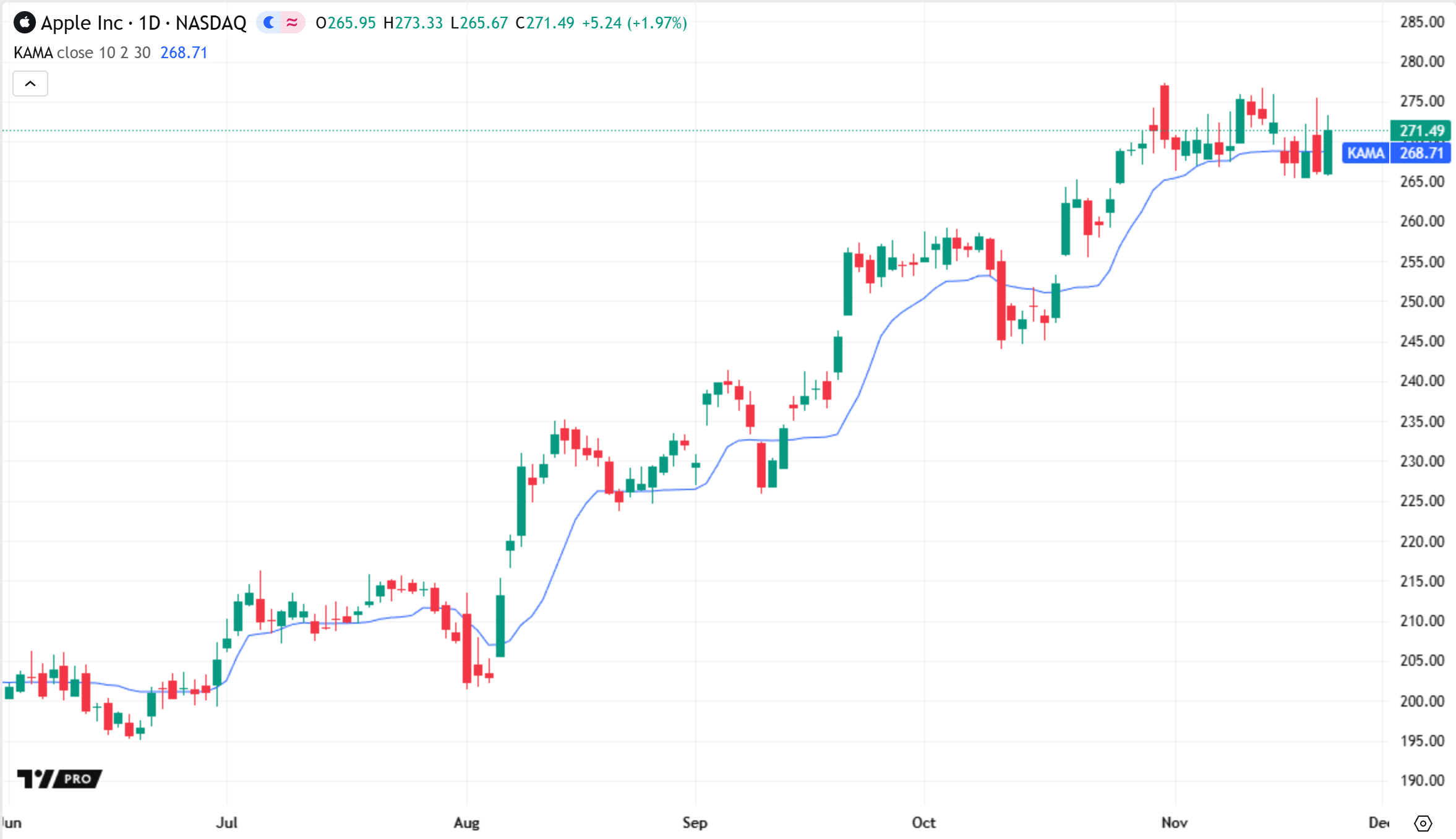
Kaufman designed the indicator as a generalized trend-following solution based on the idea that faster averages are more useful for tracking trends when the market price is moving quickly in one direction, and slower averages are better for avoiding whipsaws during periods of choppiness and volatility. As such, KAMA follows the market price at a faster rate when movements are efficient and directional, and at a slower rate when movements are choppy or inefficient. 

Traders often analyze movements in KAMA to identify trends and choppy market conditions, and use the crossings between KAMA and price or other moving averages to find potential turning points and signals.

Calculation

At its core, KAMA uses the same general structure as an exponential moving average (EMA):

MA = SC × Price + (1 - SC) × Previous MA

Where:

  • SC is the smoothing factor, sometimes referred to as the smoothing constant, which is a value between 0 and 1 that controls the rate at which the moving average follows the market price. The lower the factor, the less sensitive the moving average becomes to short-term price changes.
  • Previous MA is the EMA value on the previous bar. 

A traditional EMA calculates a fixed smoothing factor of 2 / (length + 1), where the length value controls the period for which the average responds significantly to changes in price.

By contrast, KAMA calculates a dynamic factor based on the estimated efficiency of market movements. Below are the steps that the indicator performs to calculate the smoothing factor. 

Calculate the Efficiency Ratio

KAMA uses Kaufman's Efficiency Ratio (ER) to control its responsiveness. The ratio represents the absolute change in price over a period relative to the total bar-by-bar change (volatility) within that period:

Change = Abs(Price - Price N bars ago)Volatility = Sum of Abs(Price - Price 1 bar ago) over N barsER = Change / Volatility

An ER value near 1 means that the total bar-by-bar change across the period is close to the overall change, indicating efficient price movement in one direction. A value near 0 means that the overall change is much smaller than the total bar-by-bar change, indicating choppy or inefficient movement over the period. 

Calculate initial smoothing factors

KAMA uses two separate EMA smoothing factors to determine its smoothing response. One factor corresponds to the slowest response for inefficient price movements, and the other corresponds to the fastest response for efficient movements:

Slow SC = 2 / (Slow Length + 1)Fast SC = 2 / (Fast Length + 1)

Calculate the final smoothing factor

The indicator determines the final smoothing factor by mixing the fast and slow smoothing factors based on the value of ER, then squaring the result:

SC = (ER × (Fast SC - Slow SC) + Slow SC)²

This smoothing factor causes the moving average to converge toward the market price at a faster rate when ER is high, and at a slower rate when ER is low. Squaring the factor significantly reduces the moving average's responsiveness during periods of choppy or inefficient price movement.

Inputs

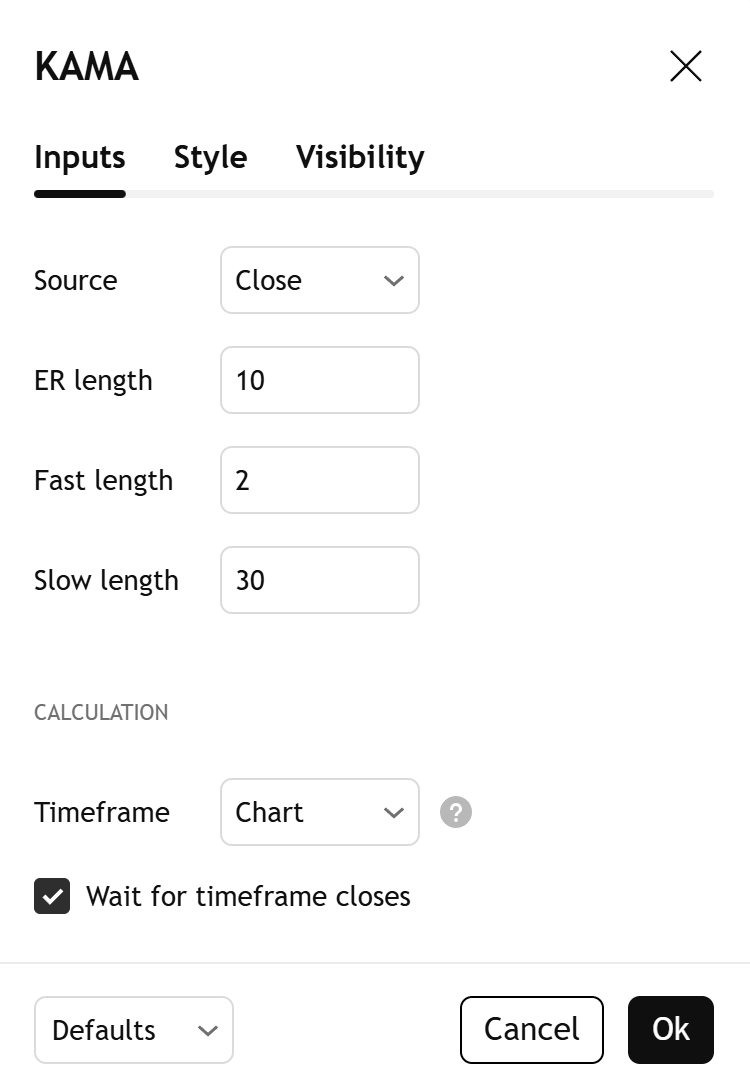
Source

The source series for which to calculate the adaptive moving average.

ER length

The number of bars to analyze for the Efficiency Ratio. Use a lower value to make the average's smoothing behavior change in response to only very recent price fluctuations, and a higher value to make the behavior responsive to fluctuations over a larger period. 

Fast length

The length for the fast smoothing factor, which controls the fastest possible response of the moving average.

Slow length

The length for the slow smoothing factor, which controls the slowest possible response of the moving average. 

Timeframe

Sets the timeframe that the indicator uses for its calculations. The "Wait for timeframe closes" checkbox below determines whether the indicator shows results only when a bar on the specified timeframe closes. See the Leveraging multi-timeframe analysis article to learn more.