PROTECTED SOURCE SCRIPT
更新済 SMT-Dashboard-MTF
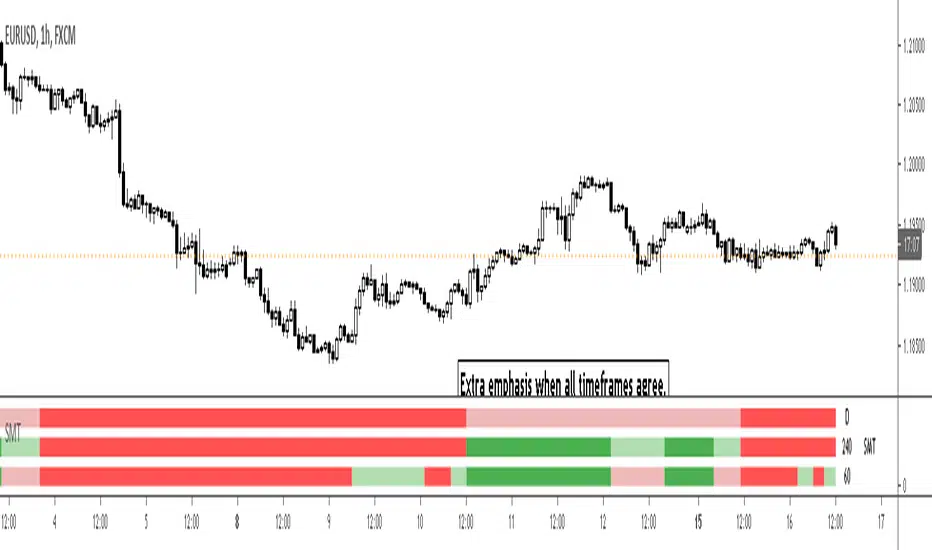
- Ability to view the smt trend of 3 times frames in one indicator
- Time frames are user configurable
- Turn on/off agreement highlights
- Alerts enabled for each time-frame and for when all time frames are all in agreement
Usage Note: To accurately display the smt trends the chart must be opened on a time-frame that is equal to or less than the lowest time-frame specified in the indicator. Tradingview can accurately display higher time frame information on a lower time frame chart but not vice-versa. e.g If the lowest time frame selected is the H1 then view the indicator on the H1 chart or below.
リリースノート
-リリースノート
- Time frames can now be configured on/off
リリースノート
- Option added to turn repainting off. This is set to true by default.
保護スクリプト
このスクリプトのソースコードは非公開で投稿されています。 ただし、制限なく自由に使用できます – 詳細はこちらでご確認ください。

免責事項
この情報および投稿は、TradingViewが提供または推奨する金融、投資、トレード、その他のアドバイスや推奨を意図するものではなく、それらを構成するものでもありません。詳細は利用規約をご覧ください。
免責事項
この情報および投稿は、TradingViewが提供または推奨する金融、投資、トレード、その他のアドバイスや推奨を意図するものではなく、それらを構成するものでもありません。詳細は利用規約をご覧ください。