CT - Candle TrendHighlight candle tails in a trend in order to find previous area of resistance or support. Recommended for D, W or higher timeframes.Pine Script® インジケーターCyberBiancoの投稿更新済 1616311
Trend-based Price Action StrategyThis is a strategy script that combines trend-based price action analysis with the Relative Strength Index (RSI) and Exponential Moving Averages (EMA) as trend filters. Here's a summary of the key components and logic: Price Action Candlestick Patterns: Bullish patterns: Engulfing candle and Morning Star. Bearish patterns: Engulfing candle and Evening Star. RSI Integration: RSI is used to identify overbought and oversold conditions. EMA Trend Filter: Three EMAs with different periods: Fast , Medium and Slow. Long trend condition occur when the fast EMA is above the medium and the medium is above the slow EMA. Short trend condition occur when the slow EMA is above the medium and the medium is above the fast EMA. Long entry conditions: RSI is oversold, RSI is decreasing, bullish candlestick pattern, and EMA trend filter conditions are met. Short entry conditions: RSI is overbought, RSI is decreasing, bearish candlestick pattern, and EMA trend filter conditions are met. Exit conditions: Take profit or stop loss is reached. Plotting: Signals are plotted on the chart when entry conditions are met. EMAs are plotted when the EMA trend filter is enabled. This script aims to capture potential trend reversal points based on a combination of candlestick patterns, RSI, and EMA trend analysis. Traders can use this script as a starting point for further customization or as a reference for developing their own trading strategies. It's important to note that past performance is not indicative of future results, and thorough testing and validation are recommended before deploying any trading strategy.Pine Script® ストラテジーspudowの投稿22481
Dynamic Trend Fusion (DTF)The "Dynamic Trend Fusion" (DTF) indicator is a powerful technical analysis tool for traders. It stands out from other indicators due to its adaptability and ability to provide insights into different trading styles. Users can choose from various trading options such as "Short-term Trading," "Long-term Trading," "Aggressive Short-term," "Conservative Long-term," "Balanced Approach," "High Sensitivity," "Low Sensitivity," "Day Trading," and "Swing Trading." These options allow traders to customize the indicator to suit their specific trading strategies. DTF combines the Moving Average Convergence Divergence (MACD) and Relative Strength Index (RSI) indicators, normalizing them to a similar scale for a comprehensive view of market conditions. It then calculates a combined value and smoothes it using a moving average. One of its standout features is the ability to identify bullish and bearish states, which is represented visually on the chart. When the indicator detects a transition from a bullish to a bearish state or vice versa, the color of the line changes. Additionally, DTF offers alert conditions, notifying users when the market shifts into a bullish or bearish state, allowing for timely decision-making. In summary, the DTF indicator sets itself apart by providing traders with a versatile tool that can be tailored to various trading styles and offers clear visual signals for trend changes, enhancing trading precision and efficiency.Pine Script® インジケーターTheRealDrip2Ripの投稿22106
Donchian Trend SignalsThe Donchian Trend Signals is an indicator developed to help traders identify the current trend direction and potential liquidity grabs. The usage of the indicator is very simple, on the chart you'll see a modified version of the classic and popular Donchian channel, calculated using the closing prices, that changes the color of the average middle line to indicate the direction of the current trend. The indicator also colors the candlestick. Using the option "Complex Mode" will give your indicator additional data by changing the calculation method. These changes make the lines become the average between different lengths of the same Donchian channel formula. Additionally, the indicator plots on the chart some buy or sell signals, displayed as diamonds above or below the candles. The signals are calculated to find potential liquidity grabs using the wicks, the true range of the candles, and the volume compared to his average value.Pine Script® インジケーターOmegaToolsの投稿更新済 22763
Market TrendMarket Trend by Trading Ninjaa Description: The "Market Trend" indicator is designed to provide traders with a clear visual representation of the prevailing market direction. By utilizing a higher timeframe moving average, this tool offers insights into the broader market trend. The indicator identifies: Uptrends: When the price is above the higher timeframe moving average, the background is shaded green. Downtrends: When the price is below the higher timeframe moving average, the background is shaded red. Sideways Markets: Recognized by decreased volatility, these periods are shaded in gray. Usage: Green Background: Indicates bullish market conditions. Traders might consider long entries or avoiding short trades. Red Background: Suggests bearish market conditions. Might be used as a signal to consider short entries or avoid long positions. Gray Background: Highlights potential sideways or consolidating market conditions. Traders might exercise caution, considering range-bound strategies. Tips: This indicator is best used in conjunction with other technical tools for confirmation. Always backtest any new strategy involving this indicator before considering it for live trading.Pine Script® インジケーターTrading_ninjaaの投稿135
Trend Correlation Oscillator [SS]Hello, Publishing this simple indicator. What is it? The Trend Correlation Oscillator takes the concept of my autocorrelation oscillator but applies it simply to time instead of autocorrelation. It performs a correlation assessment to time. The theory behind it is the stronger the correlation, the more "exhausted" the trend and the more likely the trend will reverse. It is kind of building off of random walk theory in which the market should be random and efficient. Does it work? If you follow me on my indicator side, you will know that my indicators are all based on my own research and findings and stuff that I personally find that works. All of this comes from years of losing money trying to use conventional systems and finally developing my own stuff that I find works well. This is such an invention. It does work extremely well but its best applied for day traders. If you want to use this as a swing trader, play around with the lookback length. I don't have general recommendations to swing traders wanting to use this because this isn't an indicator I personally would use for swing trading (I would use the autocorrelation oscillator for that). How to use it: The default setting is to a 14 candle lookback. This works the best. It also should really be used on the 5 minute chart and not the 1 minute chart, as from my experience this works much better. When a trend is approaching "exhaustion" to the upside, the indicator will turn red to let you know we are approaching a trend exhaustion. Once the exhaustion is at its peak and beginning to reverse, the indicator will place a cross symbol on where your entry should be. See the image below for an example: It also works well if you combine it with my PTCR Correlation Indicator: Closing thoughts That is basically the indicator. Its one of my more simple ones, but many times simple is better and most effective! Hopefully you find it helpful. As always let me know your questions, comments and feedback/recommendations for improvements below. Please know I do read and make note of all recommendations for indicators and improvements, however as it is just me managing them, it takes time for implementation and review :-). Safe trades! Pine Script® インジケーターSteverstevesの投稿22345
CC Trend strategy 2- Downtrend ShortTrend Strategy #2 Indicators: 1. EMA(s) 2. Fibonacci retracement with a mutable lookback period Strategy: 1. Short Only 2. No preset Stop Loss/Take Profit 3. 0.01% commission 4. When in a profit and a closure above the 200ema, the position takes a profit. 5. The position is stopped When a closure over the (0.764) Fibonacci ratio occurs. * NO IMMEDIATE RE-ENTRIES EVER!* How to use it and what makes it unique: This strategy will enter often and stop quickly. The goal with this strategy is to take losses often but catch the big move to the downside when it occurs through the Silvercross/Fibonacci combination. This is a unique strategy because it uses a programmed Fibonacci ratio that can be used within the strategy and on any program. You can manipulate the stats by changing the lookback period of the Fibonacci retracement and looking at different assets/timeframes. This description tells the indicators combined to create a new strategy, with commissions and take profit/stop loss conditions included, and the process of strategy execution with a description of how to use it. If you have any questions feel free to PM me and boost if you found it helpful. Thank you, pineUSERS! CHEATCODE1Pine Script® ストラテジーCheatCode1の投稿205
VWAP angle TrendThe VWAP Angle Trend is an indicator built with the aim of providing valuable insights into the reversal points of the #VWAP using Angle This is achieved by calculating the angle between the current VWAP and its previous value over a customizable lookback period and normalizing it with ATR By analyzing the angle, we can gain an understanding of the strength and direction of the VWAP, which can help them identify potential trend reversals or continuations. After observing the market over a lengthy period, I have come to realize that as the angle increases above 65 or decreases under -65 , it confirms a higher likelihood of a trend reversal. the indicator highlights these zones where a trend reversal is more likely to occur. The indicator can help you to assess the strength and direction of VWAP, enabling you to make more informed trading decisions. By identifying periods of strong momentum or potential exhaustion, you can seek opportunities for entering or exiting positions, and potentially capitalize on trend movements in the market.Pine Script® インジケーターTZack88の投稿66392
Trend AngleIntroduction: In today's post, we'll dive deep into the source code of a unique trading tool, the Trend Angle Indicator. The script is an indicator that calculates the trend angle for a given financial instrument. This powerful tool can help traders identify the strength and direction of a trend, allowing them to make informed decisions. Overview of the Trend Angle Indicator: The Trend Angle Indicator calculates the trend angle based on the slope of the price movement over a specified period. It uses an Exponential Moving Average (EMA) to smooth the data and an Epanechnikov kernel function for additional smoothing. The indicator provides a visual representation of the trend angle, making it easy to interpret for traders of all skill levels. Let's break down the key components of the script: Inputs: Length: The number of periods to calculate the trend angle (default: 8) Scale: A scaling factor for the ATR (Average True Range) calculation (default: 2) Smoothing: The smoothing parameter for the Epanechnikov kernel function (default: 2) Smoothing Factor: The radius of the Epanechnikov kernel function (default: 1) Functions: ema(): Exponential Moving Average calculation atan2(): Arctangent function degrees(): Conversion of radians to degrees epanechnikov_kernel(): Epanechnikov kernel function for additional smoothing Calculations: atr: The EMA of the True Range slope: The slope of the price movement over the given length angle_rad: The angle of the slope in radians degrees: The smoothed angle in degrees Plotting: Trend Angle: The trend angle, plotted as a line on the chart Horizontal lines: 0, 90, and -90 degrees as reference points How the Trend Angle Indicator Works: The Trend Angle Indicator begins by calculating the Exponential Moving Average (EMA) of the True Range (TR) for a given financial instrument. This smooths the price data and provides a more accurate representation of the instrument's price movement. Next, the indicator calculates the slope of the price movement over the specified length. This slope is then divided by the scaled ATR to normalize the trend angle based on the instrument's volatility. The angle is calculated using the atan2() function, which computes the arctangent of the slope. The final step in the process is to smooth the trend angle using the Epanechnikov kernel function. This function provides additional smoothing to the trend angle, making it easier to interpret and reducing the impact of short-term price fluctuations. Conclusion: The Trend Angle Indicator is a powerful trading tool that allows traders to quickly and easily determine the strength and direction of a trend. By combining the Exponential Moving Average, ATR, and Epanechnikov kernel function, this indicator provides an accurate and easily interpretable representation of the trend angle. Whether you're an experienced trader or just starting, the Trend Angle Indicator can provide valuable insights into the market and help improve your trading decisions.Pine Script® インジケーターThe_Peaceful_Lizardの投稿44230
Trend Reversal Probability CalculatorThe "Trend Reversal Probability Calculator" is a TradingView indicator that calculates the probability of a trend reversal based on the crossover of multiple moving averages and the rate of change (ROC) of their slopes. This indicator is designed to help traders identify potential trend reversals by providing signals when the short-term moving averages start to slope in the opposite direction of the long-term moving average. To use the indicator, simply add it to your TradingView chart and adjust the input parameters according to your preferences. The input parameters include the length of the moving averages, the ROC length (trend sensitivity), and the reversal sensitivity (signal percentage). The indicator calculates the ROC of the moving averages and determines if the short-term moving averages are sloping in the opposite direction of the long-term moving average. The number of short-term moving averages that meet this condition is then counted, and the probability of a trend reversal is calculated based on the percentage of short-term moving averages that meet this condition. When the probability of a trend reversal is high, a bullish or bearish signal is generated, depending on the direction of the reversal. The bullish signal is generated when the short-term moving averages start to slope upward, and the bearish signal is generated when the short-term moving averages start to slope downward. Traders can use the "Trend Reversal Probability Calculator" to identify potential trend reversals and adjust their trading strategies accordingly. It is important to note that this indicator is not a guarantee of a trend reversal and should be used in conjunction with other technical analysis tools to make informed trading decisions.Pine Script® インジケーターcyatophilumの投稿更新済 1616 1.8 K
Refracted EMA for trendThis script is an evolution of "Refracted EMA" by fract, that you can find here: The differences are in the design and intended uses of its early and pretty reliable signals. This is a trend indicator, with signals and alerts, usable on any timeframe. Note: 3 color themes are included: Light, dark, and my personal dark one. Feel free to change them in the code, and to remove the ones you don't need. HOW TO USE IT? When it gives a signal (arrow), a horizontal line starts, and expands until there's a signal in the opposite direction. As long as the price moves away from this line, then the move should logically be profitable If the price ranges, or turns back in direction of the line, then it might be time to reconsider. The background colors offer a complement of information: - When the price moves away from the line, the bgcolor is normal. - When there has been 2 candles in the opposite direction, then the bgcolor turns a little darker. It might be an early sign of range or reversal. - When the current price breaks through the signal's closing price, the bgcolor turns gray or black (depending on the theme and colors you chose), signaling a significative divergence with the signal, and a possible reversal. It is common though, for the first candle after the signal to go in the opposite direction. It might be a good idea to wait at least 2 candles after the signal. You can switch the alerts on, by right clicking the chart and clicking "add alert". Alerts happen only after the close of the candle. They display the timeframe they were added on. TRICKS - If up and down arrows alternate quickly, then the market is undecided, and it might not be a good idea to trade. Or maybe on other timeframes. - Trading against the indicator's direction is probably not a good idea, unless there is a very VERY good reason for this (like buying the dip of an up trend, for ex). - Looking at different timeframes quickly reveals the bigger picture of the price movements. For ex, if the 4h, 1h, 30 min are bullish, but the 5 min bearish, then there might be a long opportunity. But if the 5 min is bearish, and the 10 min turns bearish, and the 30 min turns bearish too, then there might be a reversal on its way. - The line can be used as a reference to decide where to place your stop loss. It is rare that the price crosses this line, but it can absolutely happen. So use this idea with caution, manage and protect your positions wisely. - You can, and probably should, use the alerts on different timeframes at the same time, to constantly update your understanding of the trend. DO NOT BASE YOUR TRADING DECISIONS ON 1 SINGLE INDICATOR'S SIGNALS. Always confirm your ideas by other means, like price action and indicators of a different nature.Pine Script® インジケーターALifeToMakeの投稿更新済 55106
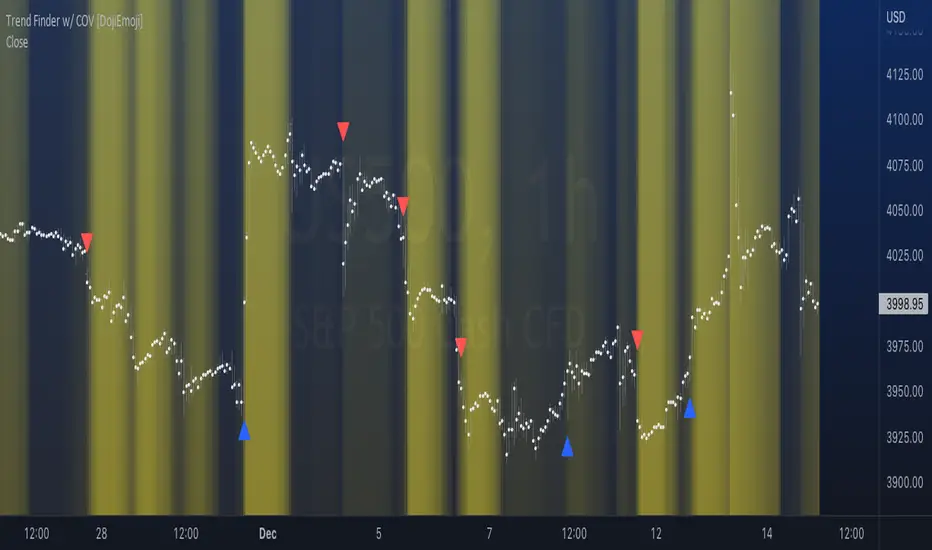
Trend Finder with Coefficient of VariationCoefficient of variation (“COV”) is a statistical measure used to describe the variability of values within a data set, it’s calculated by taking the standard deviation divided by the mean. Traditionally, COV is applied to the expected returns of competing investment portfolios. A risk adverse investor prefers to accept a portfolio with a relatively lower COV value. On the other hand, when applying COV to price charts, the difference is that instead of looking at expected returns, we now treat price as the source of data. We look at price from a moving average perspective. This script purely focuses on price. What this indicator does: Firstly, to go over the parameters: Let ‘n’ be the lookback period for computing COV, and ‘m’ be the period for comparing the ranking of COVs. Logics in a nutshell: This program will (A) calculate the COV by dividing the moving standard deviation by moving average over ‘n’ bars, and then (B) illustrate the relationship of how COV at each bar ranks compared to COVs over past ‘m’ bars. We use a color scale (default black and yellow) for visualizing ranking in terms of percentiles. If COV is below its median value, then we assume that price is consolidating. Hypothesis: Using COV on top of regular SMA signals should reduce a lot of unwanted noise such as consecutive crossovers during ranging-periods. Traders want volatility, but not too much of it when sniping for entry opportunities (speaking of initial position; need to add to winning positions after, but this is for another topic). For this reason, the median value of COV is suitable as a metric for signals. Applications: We use the median value of COV to form a decision rule. A signal is generated when COV > median(COV,m), and the direction of trend is determined based on relative position of price with respect to sma(price,n). When the value of COV is increasing, it can also be thought of seeing Bollinger Bands beginning to bulge. When trends begin, this program will plot triangles to signify entry opportunities. Pine Script® インジケーターDojiEmojiの投稿更新済 55359
Trend & atr day & calcHi! Why for what and how in this script? At the time of publication the script consists of three modules, it may increase in the future. 1. Bottom left corner : daytime ATR module (idea and basis of the author's script - ???) - The size of the daily ATR based on 14 bars; - intraday ATR progress; - colour indication of the progress status, for easier visual perception (green < 70%, yellow 70-90 and red over 90% of ATR) By evaluating the progress of the daily ATR, it is possible to suggest and expedient to enter/exit/hold a trade. 2. Top right: trend module The trend is calculated based on Bill Williams' alligator indicator - trend status on specified timeframes for the current ticker; - colour indication for visual perception (green - growing trend, yellow - alligator is sleeping, red - downtrend) Do not forget that the alligator is based on moving averages with the resulting consequences. Its purpose is to assess the state of the trend on other ticker TFs, without additional actions (switching to another screen or TF) 3. In the bottom left corner - risk and position calculator (based on an idea of the risk calculator by @andrei.bunulu) It helps to determine the advisability of entering the trade and also what size position to enter into the trade, within money management strategy chosen. - The calculator works in two directions: long deal and short deal (short deal calculation is enabled by check-box in settings) - two calculation methods: a. based on the set stop loss % (default is 0.3%), in this mode the stop and takeout level is automatically calculated (default is 1 / 3). b. by entering the desired price levels (entry, stop and take profit points) To make this work correctly please do not forget to choose the type of calculation (% or price) in the settings, and the currency symbol (for visual representation in the results). The calculator can take into account the set commissions and spreads. When hovering over the module - tooltips are displayed. Each module can be enabled / disabled in the settings. The size and arrangement of the modules is made for joint use with the script - "Abnormal Bar". /// а по-русски это так /// Привет! Зачем для чего и как в этом скрипте? На момент публикации скрипт состоит из трех модулей, возможно в будущем увеличится. 1. В левом нижнем углу : модуль дневного ATR (идея и основа скрипт автора - ???) - размер дневной ATR на основании 14 баров; - прогресс ATR внутри дня; - цветовая индикация состояния прогресса, для более простого визуального восприятия (зеленый < 70%, желтый 70-90 и красный более 90% ATR) Оценивая прогресс дневного ATR, можно предположить и целесообразности входа / выхода / удержания из сделки. 2. В правом верхнем углу: модуль тренда Тренд рассчитывается на основе индикатора - аллигатор Билла Вильямса - состояние тренда на указанных таймфреймах для текущего тикера; - цветовая индикация для визуального восприятия (зеленый - растущий тренд, желтый - аллигатор спит, красный - нисходящий тренд) Не забываем, что аллигатор построен на основе скользящих средних с вытекающими последствиями. Назначение - оценить состояние тренда на других ТФ тикера, без дополнительных действий (переключения на другой экран или ТФ) 3. В нижнем левом углу - калькулятор рисков и позиции (на основе идеи калькулятора аuthor: @andrei.bunulu) Помогает определить целесообразность входа в сделку, а также каким размером позиции входить в сделку, в рамках выбранной стратегии мани менеджмента. - калькулятор работает в два направления: длинная и короткая сделка (расчет по короткой включается в настройках чек-боксом) - два варианта расчета: а. на основании установленного % стоп лосса (по-умолчанию 0,3%), при этом режиме происходит автоматический расчет уровня стопа и тейка (по умолчанию 1 / 3). b. путем ввода данных желаемых уровней цены (точки входа, стопа и тейк профита) Для корректной работы не забываем в настройках выбирать тип расчета (% или цена), а также символ валюты (для визуального отображения в итогах). Калькулятор может учитывать установленный размер комиссий и спреда. При наведении на модуль - отображаются подсказки. Каждый модуль можно включить / выключить в настройках. Размер и расположение модулей сделано для совместного использования со скриптом - "Abnormal Bar" Pine Script® インジケーターEmoeTeamの投稿更新済 22284
Trend Slope Meter - KaspricciTrend Slope Meter This indicator measures the slope of the trend defined by a moving average or an external source. The slope is calculated by the change of price in ticks for a defined number of bars divided by the number of bars. Settings Source - Default: close price. Used to calculate the moving average as basis for slope measurement. Can be an external source of a different indicator as well. In case you select an external source, you can disable the moving average calculation. Moving Average Settings Type - Default: EMA. Type of moving average calculation. All provided out of the box by TradingView. Length - Default: 50. Length used to calculate moving average. Slope Settings Length - Default: 50. Length used to calculate slope. Pine Script® インジケーターBest-Algo-Traderの投稿更新済 11285
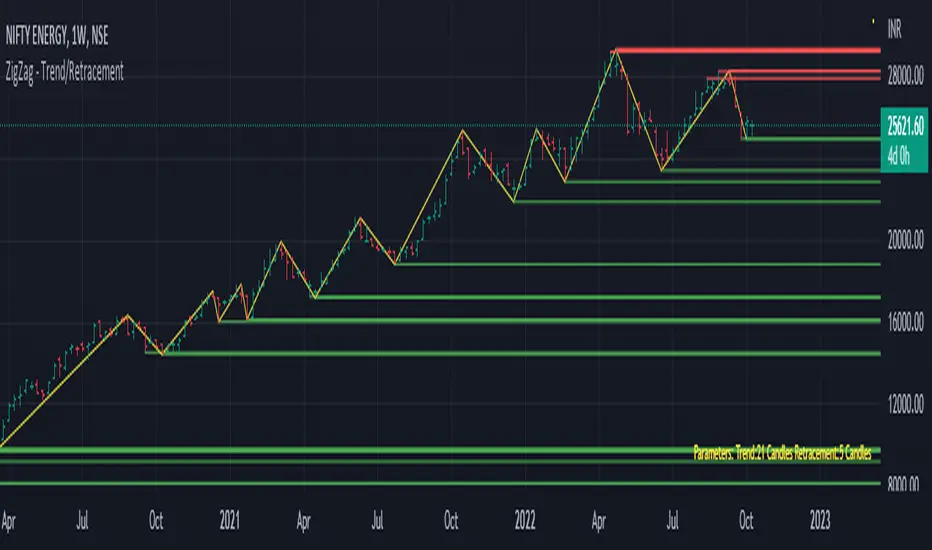
Trend/Retracement - ZigZag - New wayZigZag for Trend and Retracements - New way It's another way to plot ZigZag based on lookback period for trend and % of trend lookback period to plot retracements. █ OVERVIEW Plot ZigZag, Trend lines, Retracements, Support levels, Resistance levels █ Objective: Draw ZigZag lines along with unbroken support and resistance levels. ZigZag lines are drawn for main trend and the retracements. Main Trend – This is calculated based on lookback period. Retracements – Retracements are calculated as 25% of main trend. Support and Resistance line: The indicator draws 2 types of support and resistance lines 1. Un-broken – Once formed (plotted), these are the support and resistance which are not yet broken 2. Tested – One can also choose to see support and resistance lines which are tested but not broken. Tested support/resistance are those levels which are touched by high/low price but close price has not crossed the level. █ How main trend point is calculated: E.g. Chart timeframe = 15m Lookback period = 250 Retracement = 25% of main trend ( 25% of 250 = 62 ) A price point on a chart is considered as trend point if distance between current price and previous highest price is 250 candles A price point is considered as a retracement if distance between current price and previous highest price is 62 candles. Please note retracements are calculated only after finding a main trend point. █ Input parameters: Zigzag Parameters Use predefined Lookback – If checked pre-defined timeframe-based lookback parameters are used. Trend lookback candles – If ‘Use predefined Lookback’ is unchecked then this value is used as lookback period. Retracement % of look back candles– If ‘Use predefined Lookback’ is unchecked then this value is used for calculating retracement lookback period Mark retracements – If unchecked only main trend lines are plotted Plot support/resistance – To plot support/resistance levels Show support/resistance tested lines – If checked tested support/resistance liens are shown on the chart █ TF based Lookback period config (Defaults are set as specified below, One can change these defaults to use different lookback periods) The defaults set here are used based on the chart timeframe. e.g. if chart timeframe is changed from say 15m to 60m then 60m chart defaults (i.e. trend lookback = 90) are used to plot the trend and the retracements. At the bottom-right of the chart, parameters used for plotting are displayed all the time. Timeframe in minute – Default = 5m Trend lookback candles – Default = 375 (~ 5 days of data) Timeframe in minute – Default = 15m Trend lookback candles – Default = 250 (~10 days of data) Timeframe in minute – Default = 60m Trend lookback candles = Default = 90 (~ 15 days of data) Trend lookback candles for timeframe 'D' – Default = 30 (~1 month data) Trend lookback candles for timeframe 'W' – Default = 21 (~6 months data) Trend lookback candles for timeframe 'M' – Default = 12 (~1year data) Retracement % of look back candles – Default = 25% █ When and where one can use this indicator (Refer to chart examples) To view support and resistance based on lookback period To view ZigZag lines One can use it to find chart patterns easily Trend and retracement lines can help in drawing Elliott waves. █ Chart examples: 1. Chart patterns can be easily identified - One can disable the candle charts which will help to identify and draw chart patterns easily 2. Trend and retracement lines can also help is analyzing charts (e.g. Elliott Waves can be marked based on trend lines) 3. Tested but not broken support and resistance lines can be viewed 4. You can select 'NOT' to plot tested support and resistance lines 5. Uncheck the Mark retracements to plot main trend lines (Retracements are not marked) Pine Script® インジケーターSharad_Gaikwadの投稿1717 1.1 K
Double RSI TrendThis is my Double RSI Trend Indicator. It issues Buy and Sell signals based on the Supertrend and a double RSI . The RSIs cross near or at the same time as the Supertrend fires. It has the ability to change if you want signals based on the RSI cross on the same candle, one candle before, and two candles before. I find this one extremely good at catching reversals as long as you filter out some of the signals based on trend.Pine Script® インジケーターbarrettdenningの投稿22645
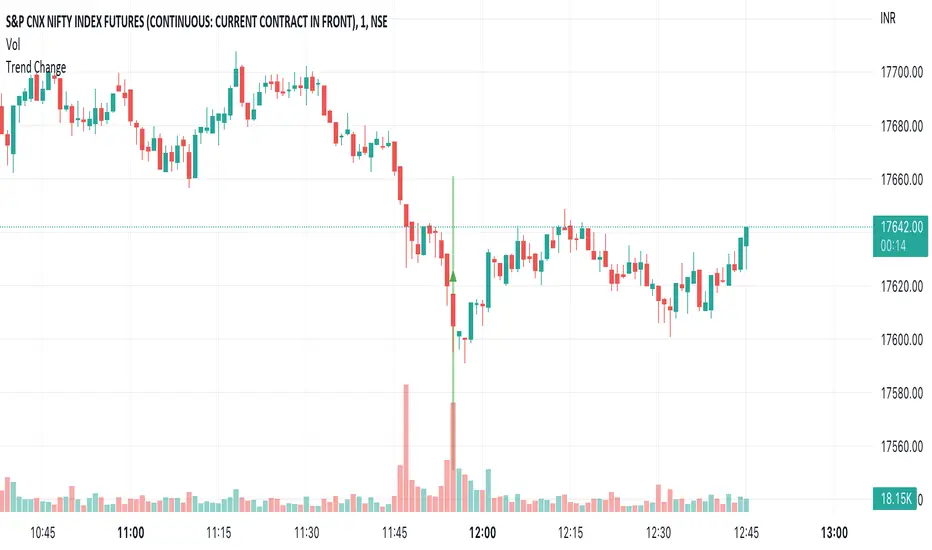
Trend ChangeThis indicator displays a general trend change. It shows an arrow on the candle from where the trend change is expected. The trend change is calculated based on the previous candle open/close and the corresponding volume.Pine Script® インジケーターajayvarma00047の投稿更新済 136
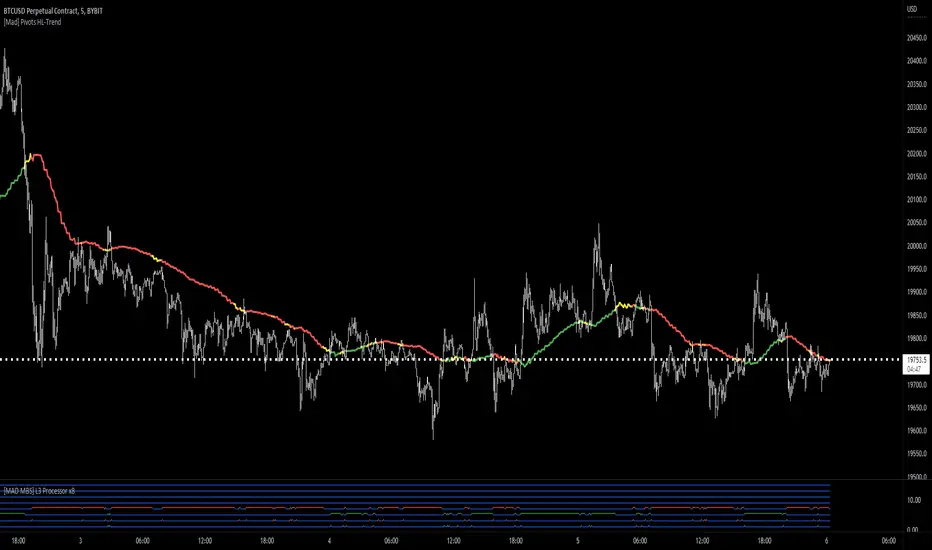
[Mad] Pivots HL-TrendHi There This is a Trend-Indicator based on Pivot highs and Pivot lows from different forward-backward lenghts. As Mohamed3nan is only looking at one timeframe, here is a mtf-version of that How to use? This indicator should basically work in each timeframe. Green is Bullmode, Red is Bearmode try to find a "IN Trend" setup or go directly in on the switch of the trends... The riskmanagement is as always in your own hands you can activate the field, ends up in a mess like this here :D Pine Script® インジケーターdjmadの投稿更新済 1616112
Strategy - Trend Chaser - PSeTrend Chaser for Philippine Stock Exchange - LONG ONLY -Elvin Kennedy Latayan 2022Pine Script® ストラテジーElvinKennedyHernandezLatayanの投稿更新済 49
Trend Momentum Divergence (TMD)Shout out to Lazy Bear, Bunghole, and Trading View for script code for this make. In this study you will have a visual representation of the strength and momentum of a trend and possibilities of where the market is heading. You can use the Blue and White momentum waves to spot divergences in a up oe down trend for potential reversals. When a green dot appears under the lower level with divergence then it is a indication that we should consider looking to buy. If the red dot appears over the upper level with divergence we should be looking to short/sell. The custom MFI indicator determines how much money is flowing into the market. If it is green that means money is flowing into the market and if it shows red it means that money is flowing out of the market. You can spot divergences in the money flow as well as the RSI. The Blue and Green lines from the RCI3line indicator are used for higher timeframe momentum based on current chart timeframe and we can see when they cross over.Pine Script® インジケーターIan94patrick32の投稿更新済 55107
Three EMAs Trend-following Strategy (by Coinrule)Trend-following strategies are great because they give you the peace of mind that you're trading in line with the market. However, by definition, you're always following. That means you're always a bit later than your want to be. The main challenges such strategies face are: Confirming that there is a trend Following the trend, hopefully, early enough to catch the majority of the move Hopping off the trade when it seems to have run its course This EMA Trend-following strategy attempts to address such challenges while allowing for a dynamic stop loss. ENTRY The trading system requires three crossovers on the same candle to confirm that a new trend is beginning: Price crossing over EMA 7 Price crossing over EMA 14 Price crossing over EMA 21 The first benefit of using all three crossovers is to reduce false signals. The second benefit is that you know that a strong trend is likely to develop relatively soon, with the help of the fast setup of the three EMAs. EXIT The strategy comes with a fixed take profit and a volatility stop, which acts as a trailing stop to adapt to the trend's strength. That helps you get out of the way as soon as market conditions change. Depending on your long-term confidence in the asset, you can edit the fixed take profit to be more conservative or aggressive. The position is closed when: The price increases by 4% The price crosses below the volatility stop. The best time frame for this strategy based on our backtest is the 4-hr. Shorter timeframes can also work well, although they exhibit larger volatility in their returns. In general, this approach suits medium timeframes. A trading fee of 0.1% is taken into account. The fee is aligned to the base fee applied on Binance, which is the largest cryptocurrency exchange.Pine Script® ストラテジーCoinruleの投稿33318
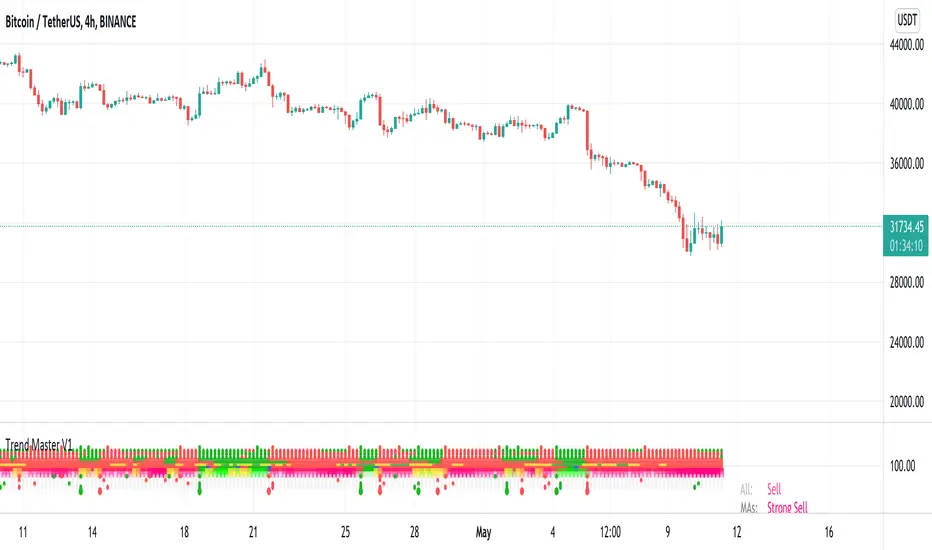
Trend MasterThis is a trend aggregator for confirmation and trend signals. It basically aggregates many buy/sell signals and confirmation and by combining them provides a strong buy/sell signal or trend confirmation. The actual layout idea and trend confirmation is derived from Trend Meter and this indicator uses few other indicator, such as Chandelier Exit, WaveTrend, QQE Signals, Parabolic SAR and AlphaTrend. This indicator aggregates signal from different methods to find out more powerful and confirmed Trend and combines them into one Signal. It also uses Technical Ratings from TradingView team to filter out false signal, it tremendously opts out false signals and improve profitability. The first seven dots are these All 3 Trend Meters Now Align MACD Crossover - Fast - 8, 21, 5 RSI 13: > or < 50 RSI 5: > or < 50 MA Crossover MA Crossover Chaikin Money Flow Alphatrend Technical Ratings Then trend Chandelier Exit WaveTrend QQE Signals Parabolic Sar All 3 Trend Meters aligns and A signal from trend i Instructions Change buy/sell policy based on market trend Works on all TimeFrame but gives more accuracy on 4H, 1D. Buy when green big dot appears at the bottom. Sell when red big dot appears at the bottom. Red/green dot at the top line appears when three trend meter is aligned and this is a good confirmation. Any red/green dot below horizontal bars are trend signals. Big red/green got at the bottom appears whenever there's a good confirmation from trend meter and a buy/sell signal comes from any trend signals. Also look on the technical ratings bar, green means buy, red means sell and yellow means neutral. Look for Support or Resistance Levels for price to be attracted to. Find confluence with other indicators. The more Trend meters are lit up the better. Alert 01 Buy Signal = Strong Buy Signal 02 Sell Signal = Strong Sell Signal 03 Buy Signal = Strong Buy Signal 04 Sell Signal = Strong Sell Signal Thanks to TradingView Technical Ratings authors, evergot, Lij_MC, KivancOzbilgic for their work. This indicator was heavily inspired from their work. Pine Script® インジケーターsadmansameeの投稿更新済 1515496
Heikin-Ashi Trend AlertThis script: Adds a Heikin-Ashi line to the chart (EMA-based). Provides alerts triggered when the color goes from green to red and vice versa. Just add the indicator to the chart, create an alert and select " Heikin-Ashi Trend Alert " from the dropdown. Profit.Pine Script® インジケーターbackslash-fの投稿更新済 66604